BASIC
TOOLS
Figma
Figma
Affinity
Designer
Affinity
Designer
Affinity
Photo
Affinity
Photo
Photoshop
Photoshop
2021
E-APPROVAL APP · WEB
DESIGN (100%)
HTML/CSS/JS (100%)
PLANNING (100%)
HODUWORKS
HODUWORKS
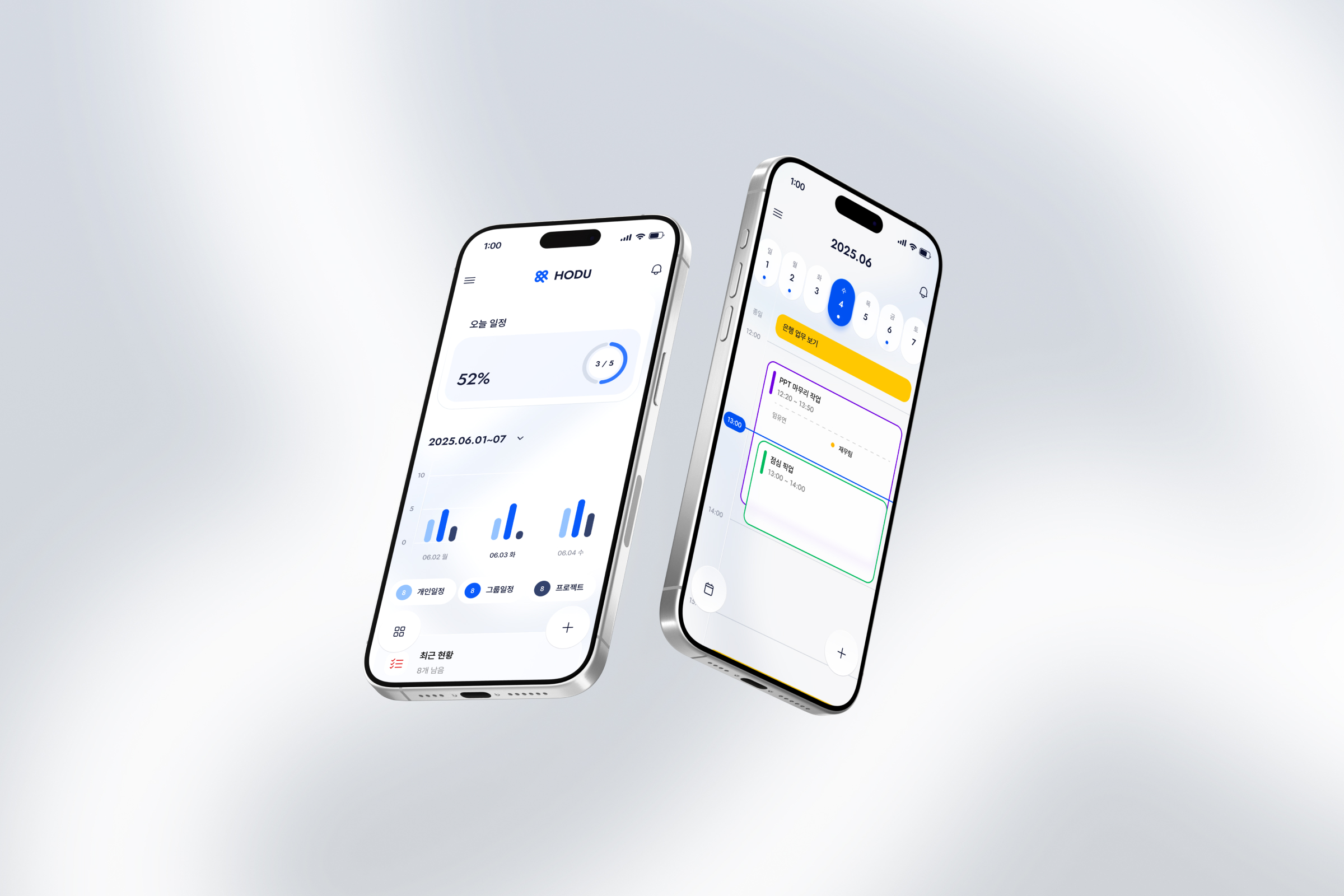
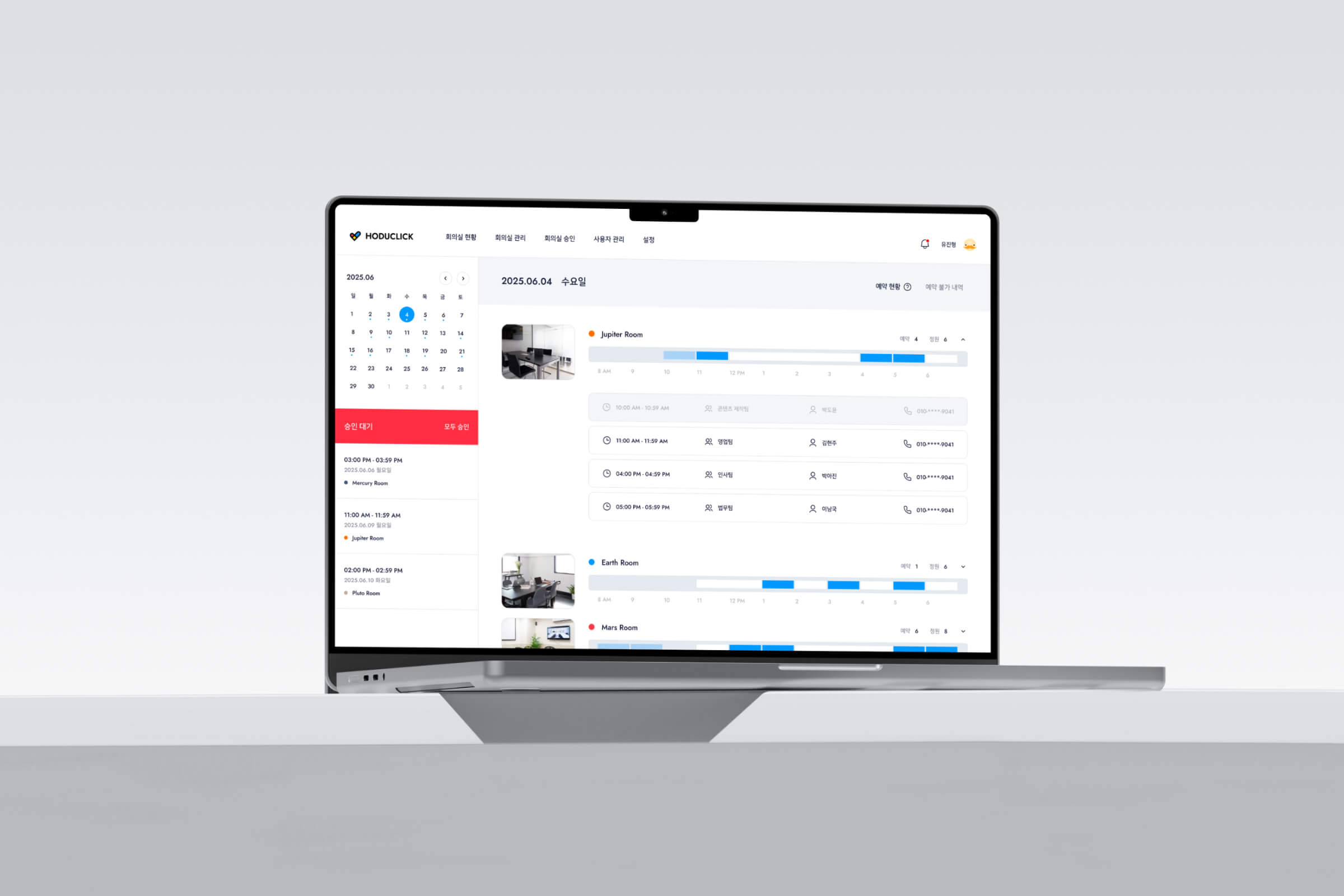
An app designed to manage attendance and workflow centering on electronic approvals. It integrates daily tasks from attendance logging to approvals and employee management in one place. The built-in calendar allows users to manage schedules or use it as a dedicated business tool.
An app designed to manage attendance and workflow centering on electronic approvals. It integrates daily tasks from attendance logging to approvals and employee management in one place.
The built-in calendar allows users to manage schedules or use it as a dedicated business tool.

SWIFT APPROVAL, DEEP WORKFLOW
HODUWORKS
SWIFT APPROVAL, DEEP WORKFLOW
HODUWORKS
SWIFT APPROVAL, DEEP WORKFLOW
HODUWORKS
Redesigned to resolve the complexity and
friction of legacy electronic approval systems.
Redesigned to resolve the complexity and
friction of legacy electronic approval systems.
1
PROBLEM
User Feedback
User Feedback
1
PROBLEM
User Feedback
Too complex for anything
but clocking in
Sophia Reynolds
Sophia Reynolds
IT Solution Startup
IT Solution Startup
" "

Marcus Chen
Marcus Chen
Marketing Agency
Marcus Chen
Marketing Agency
Even more clutter
with the new update.
James Carter
James Carter
Logistics Firm
Logistics Firm
" "
Why check everything separately?
Why check everything separately?
Why check everything separately?
Why check everything separately?
Why check everything separately?
Why check everything separately?
Missed the priority...
Missed the priority...
Missed the priority...
03:10 PM
Urgent
Urgent
Still in progress
Still in progress
03:10 PM
Done
Done
Finished by mistake
Finished by mistake
Missed the priority...
03:10 PM
Urgent
Still in progress
03:10 PM
Done
Finished by mistake
Rejected or still pending
Rejected or still pending
Rejected or still pending
03:11 PM
In Progress
Misinterpreted as ongoing
Misinterpreted as ongoing
Rejected
Actually rejected approval.
Actually rejected approval.
Rejected or still pending
03:11 PM
In Progress
Misinterpreted as ongoing
Rejected
Actually rejected approval.
Too much back and forth
03:12 PM
Approval
Approval
03:13 PM
Task
Task
03:14 PM
Attendance
Attendance
Too much back and forth
03:12 PM
Approval
03:13 PM
Task
03:14 PM
Attendance
Why check everything separately?
1
DEFINE
1
DEFINE
Scattered Records, Hidden Workflow
Functions like tasks, approvals, and attendance are scattered, forcing users to switch screens constantly. This disconnects the history of each stage, making it hard to track progress and leading to repetitive communication.
Scattered Records, Hidden Workflow
Functions like tasks, approvals, and attendance are scattered, forcing users to switch screens constantly. This disconnects the history of each stage, making it hard to track progress and leading to repetitive communication.
Structural
Fragmented timeline
Isolated history
Tracking difficulties
UX
Inefficient navigation
Context loss
Disconnected flow
Impact
Status misunderstanding
Increased comms
Process delays
1
DEFINE
Scattered Records, Hidden Workflow
Functions like tasks, approvals, and attendance are scattered, forcing users to switch screens constantly. This disconnects the history of each stage, making it hard to track progress and leading to repetitive communication.
Structural
Fragmented timeline
Isolated history
Tracking difficulties
UX
Inefficient navigation
Context loss
Disconnected flow
Impact
Status misunderstanding
Increased comms
Process delays
2
SOLUTION
2
SOLUTION
Connecting Scattered Records into One Flow
분산된 기록을 하나의
흐름으로 연결
Connecting Scattered Records into One Flow
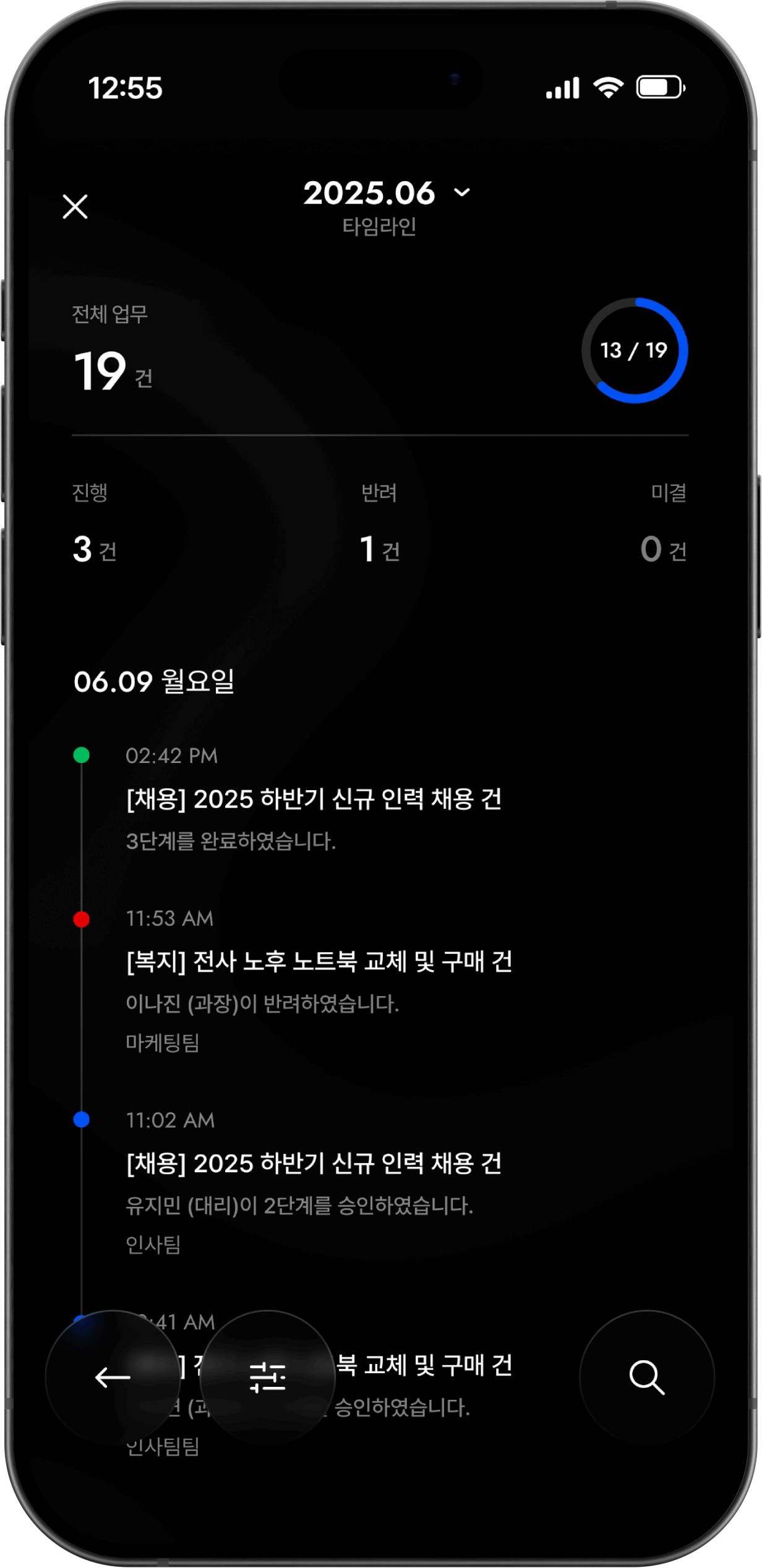
Reorganized fragmented history into a time-based timeline. Users can now track the entire process from start to finish at a glance, understanding the full context and current status
Reorganized fragmented history into a time-based timeline. Users can now track the entire process from start to finish at a glance, understanding the full context and current status
Check Progress
Total Counts
Visualize All Records
Visualize All Records
Visualizes total records and progress ratios. Pie charts allow users to grasp the overall workflow instantly without checking individual data
Visualizes total records and progress ratios. Pie charts allow users to grasp the overall workflow instantly without checking individual data
Identify Context
All History
Chronological Status
Chronological Status
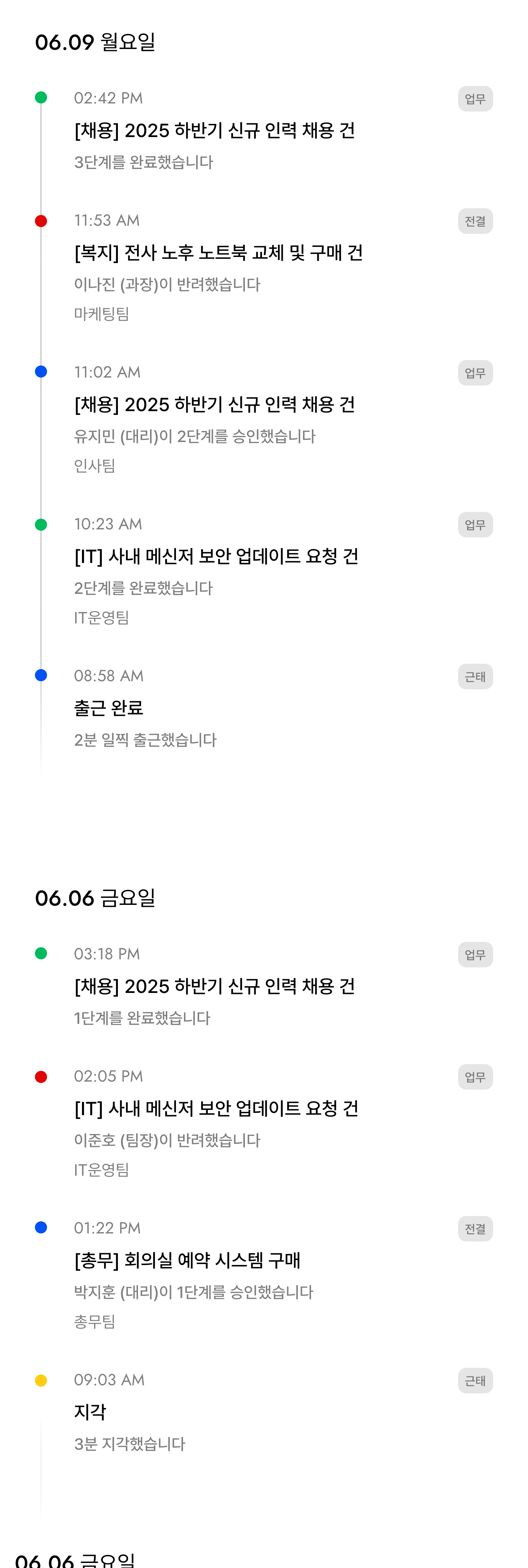
Records accumulate on a timeline from creation to completion. Users track history by "flow" rather than "data points," ensuring a natural understanding of the process.
Records accumulate on a timeline from creation to completion. Users track history by "flow" rather than "data points," ensuring a natural understanding of the process.
Direct Search
Advanced Filters
Enhanced Search
Enhanced Search
Quickly find records using status, period, and condition filters. Moves beyond simple search to help users efficiently filter records for any situation.
Quickly find records using status, period, and condition filters. Moves beyond simple search to help users efficiently filter records for any situation.
Improvement Points
Improvement Points
Improvement Points
Added a timeline view to check all history at a glance.
Added a timeline view to check all history at a glance.
1
1
Seamless User Experience
Seamless User Experience
All status updates
connected in a single flow
1
Seamless User Experience
All status updates connected
in a single flow.
Intuitive Progress Tracking
Intuitive Progress Tracking
Monitor workflow status
at a glance
2
2
Intuitive Progress Tracking
Monitor workflow status
at a glance
2
Fast & Easy Information Access
Fast & Easy Information Access
Quick access without
unnecessary navigation
3
3
Fast & Easy Information Access
Quick access without
unnecessary navigation
3
3
USERFLOW
3
USERFLOW
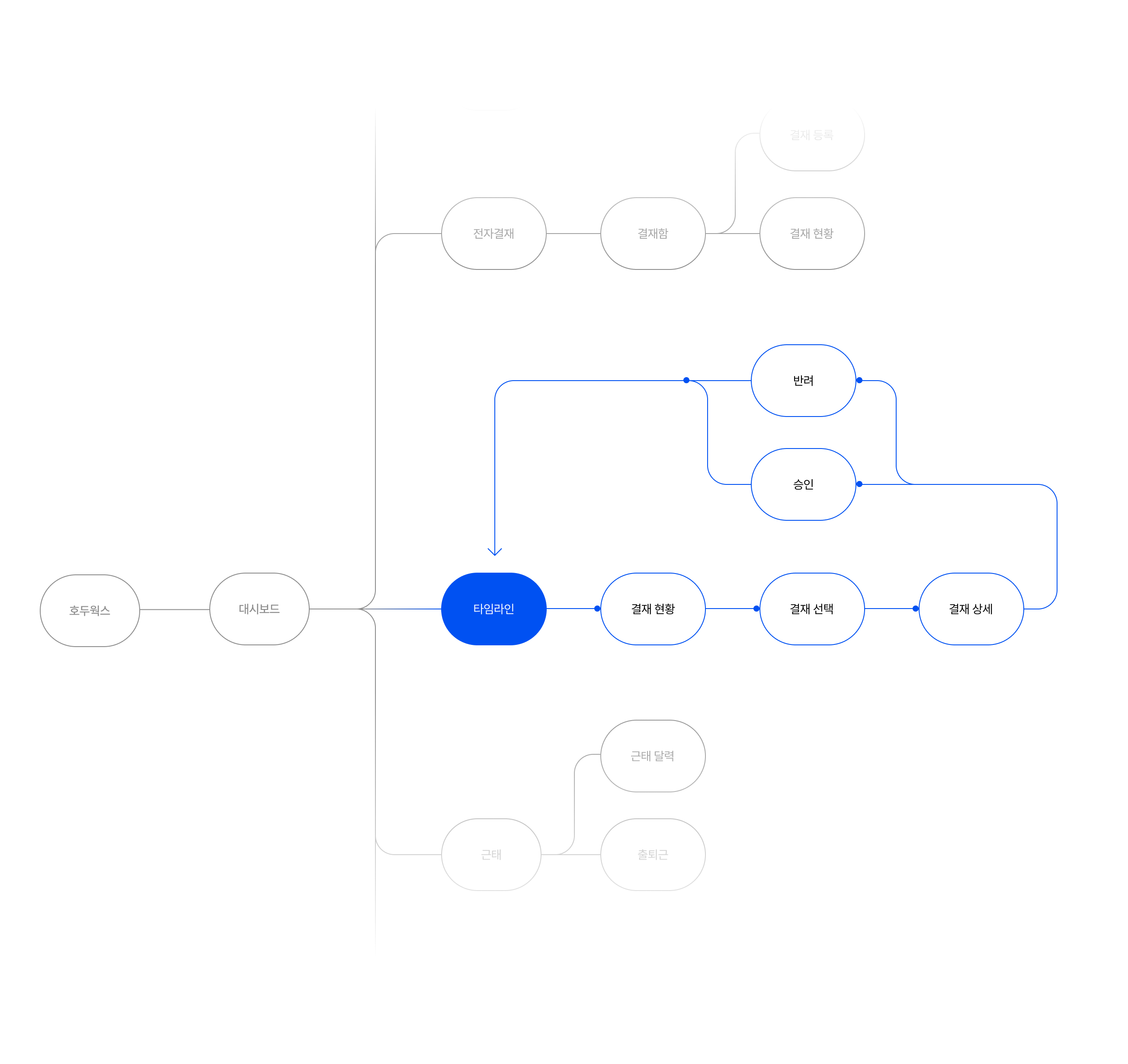
TIMELINE USERFLOW
TIMELINE USERFLOW
A central timeline for real-time project monitoring and immediate action. By linking all features in a single context, I minimized screen switching and simplified complex task management.
A central timeline for real-time project monitoring and immediate action. By linking all features in a single context, I minimized screen switching and simplified complex task management.
3
USERFLOW
TIMELINE USERFLOW
A central timeline for real-time project monitoring and immediate action. By linking all features in a single context, I minimized screen switching and simplified complex task management.
4
RENEWAL
4
RENEWAL
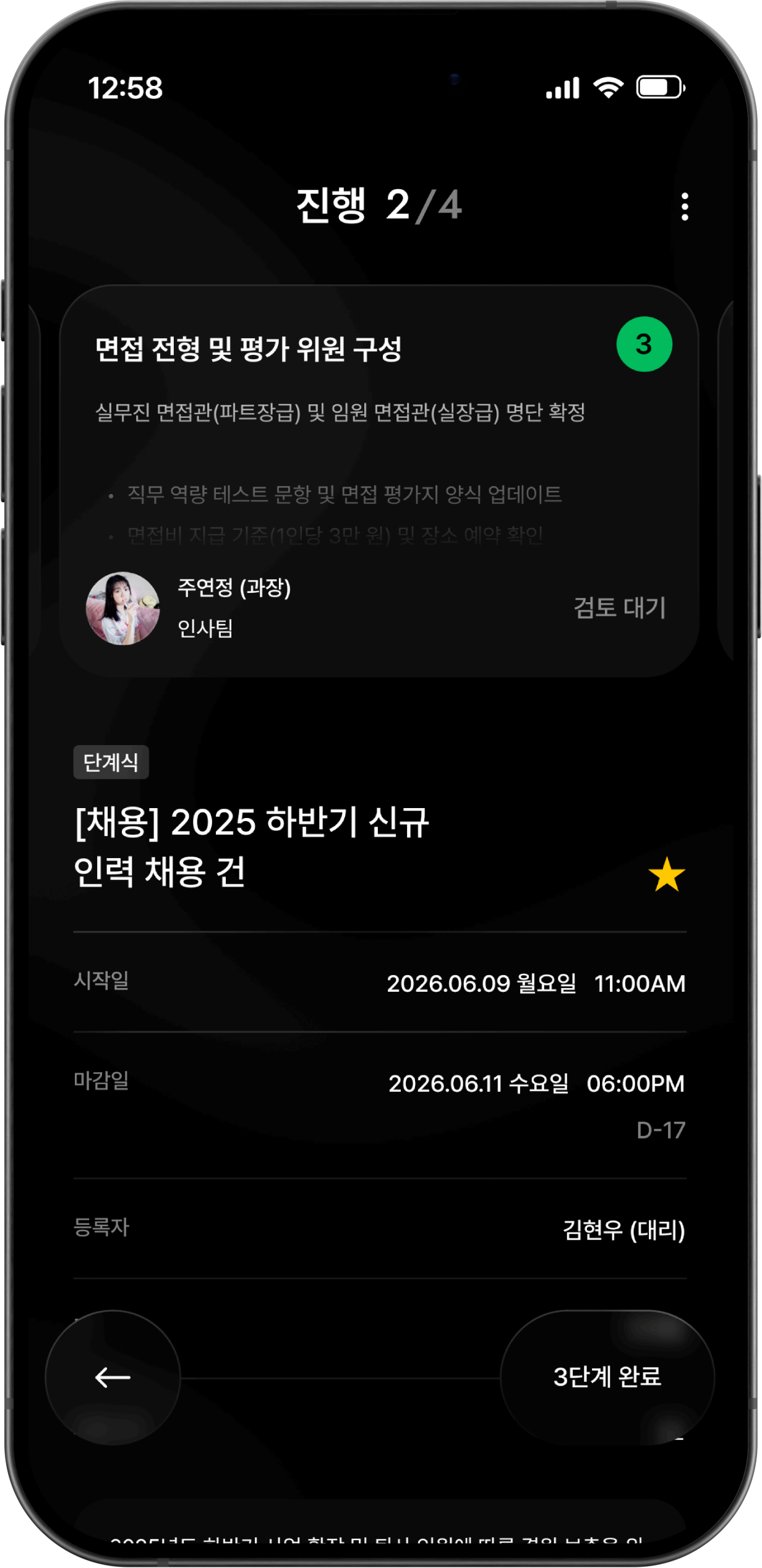
Dark Theme Renewal
Dark Theme Renewal
Dark Theme Renewal
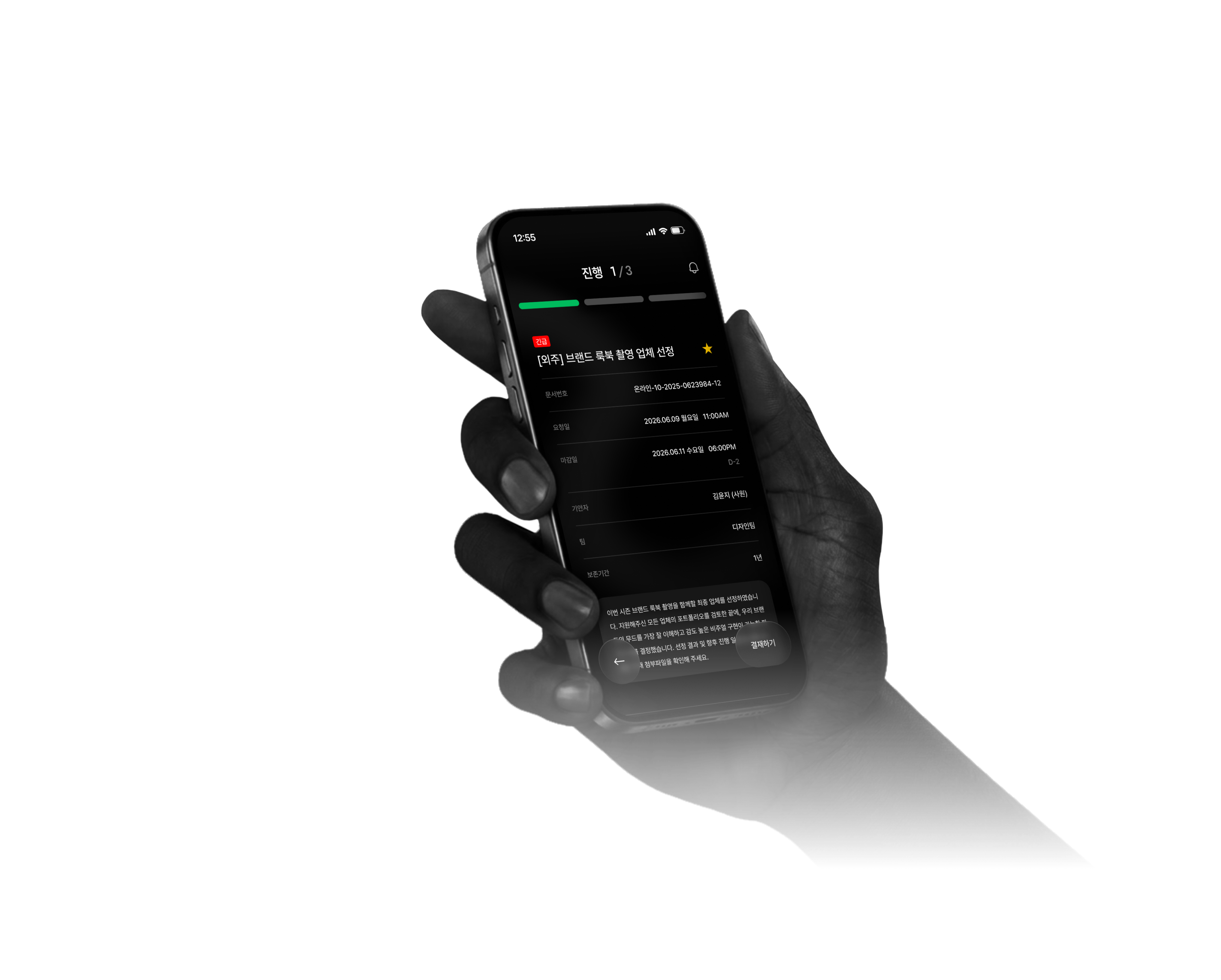
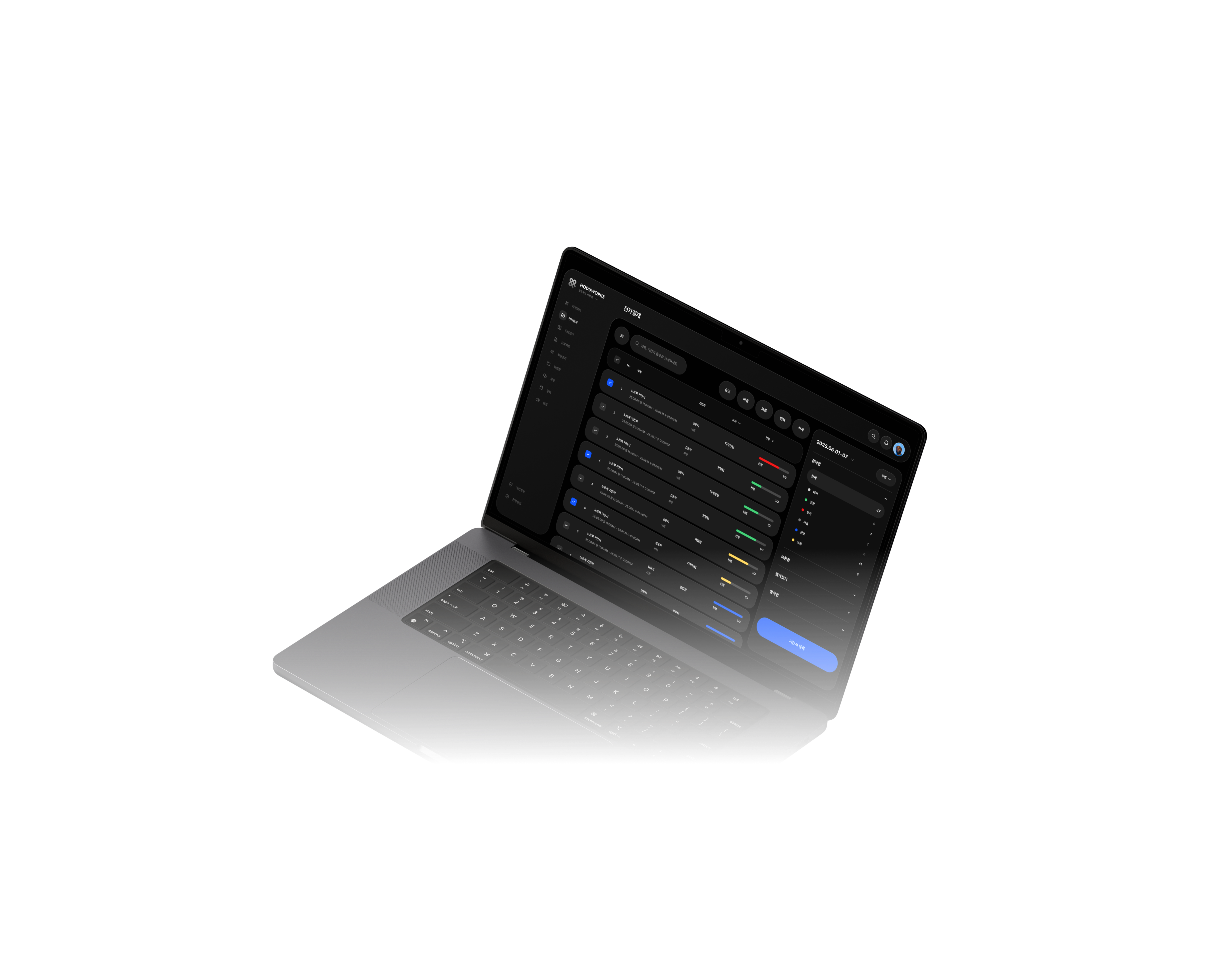
Beyond simple color inversion, this dark mode recalibrates hierarchy and contrast for the timeline. It provides a distraction-free environment, allowing users to stay fully immersed in their tasks with minimal visual noise
Beyond simple color inversion, this dark mode recalibrates hierarchy and contrast for the timeline. It provides a distraction-free environment, allowing users to stay fully immersed in their tasks with minimal visual noise
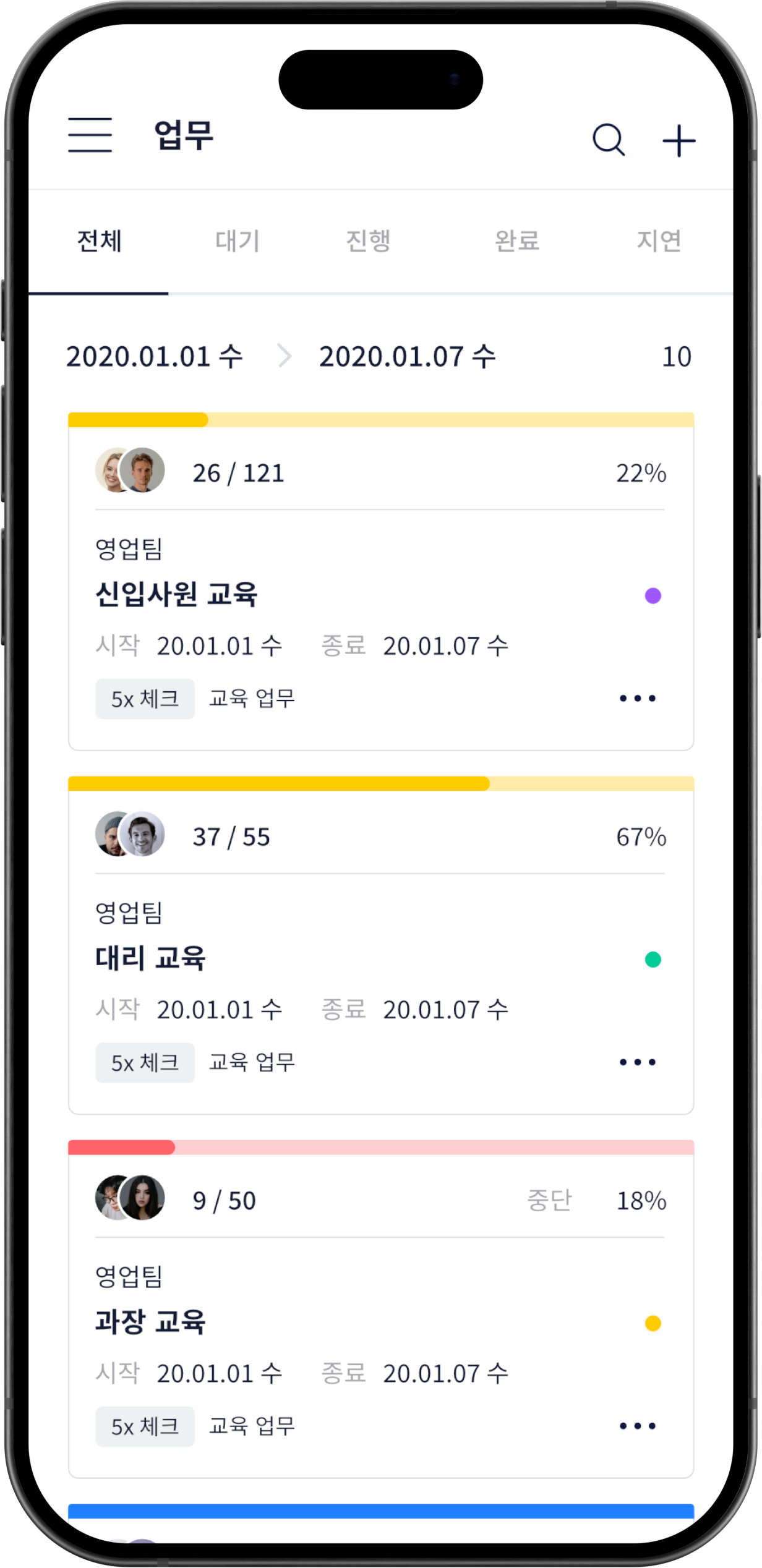
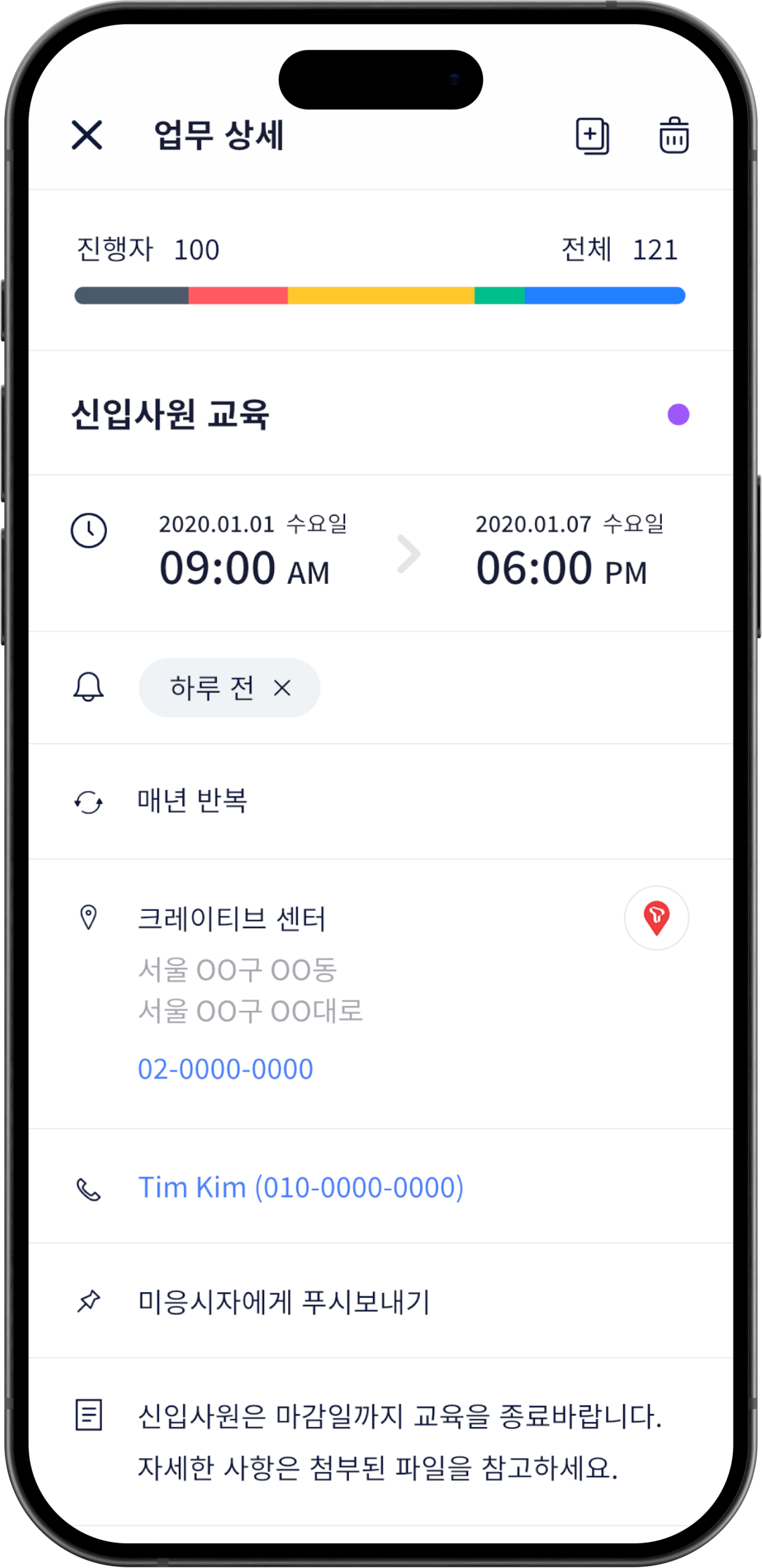
White Theme
White Theme
White Theme
White Theme
Original task detail screens based on
previous standard guides
Original task detail screens based on
previous standard guides
Original task detail screens based on
previous standard guides
NOW
NOW
Dark Theme
Dark Theme
Dark Theme
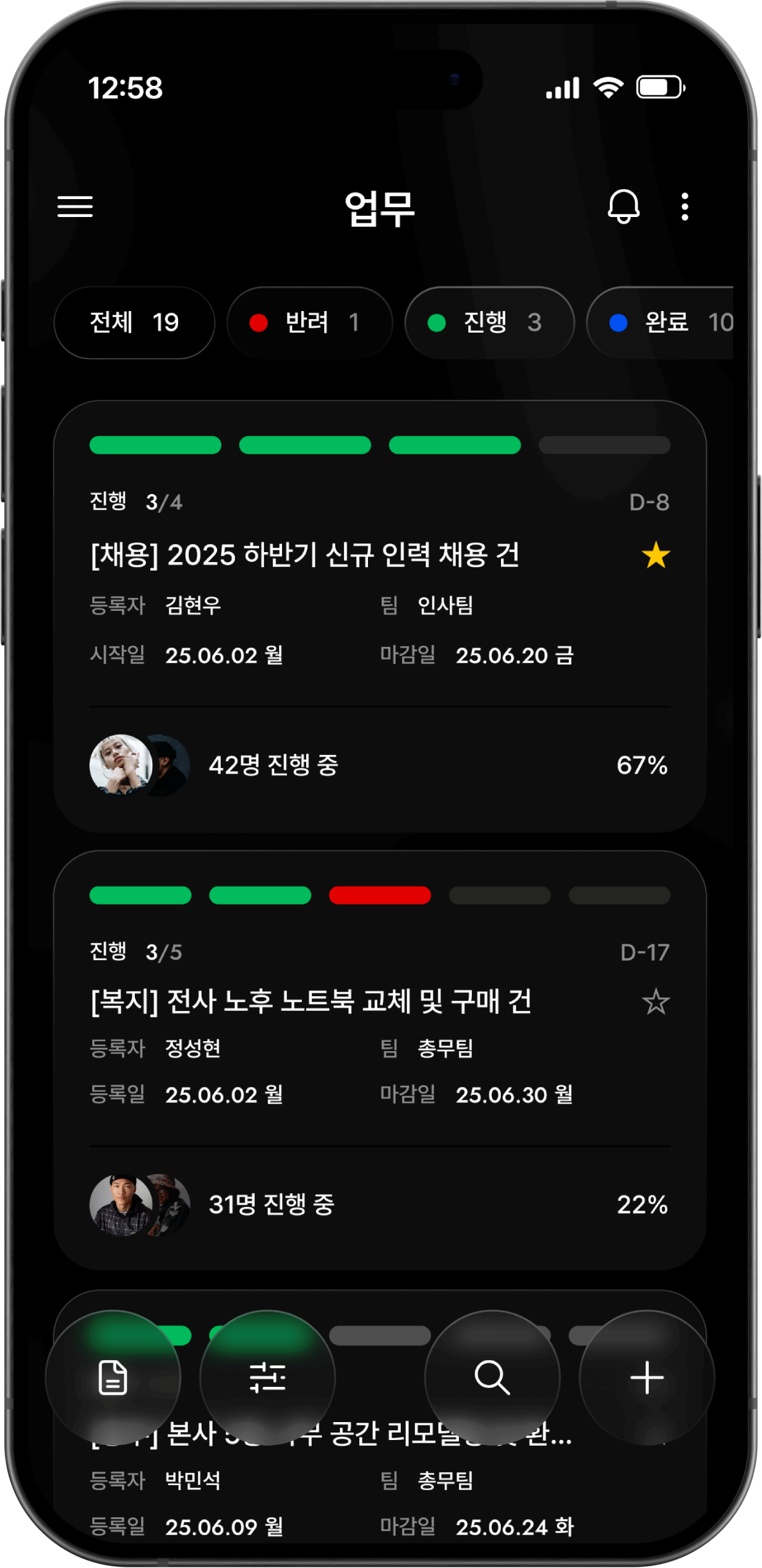
Renewed screens with enhanced readability and immersion tailored for the timeline system
Renewed screens with enhanced readability and immersion tailored for the timeline system
Renewed screens with enhanced readability and immersion tailored for the timeline system
NEW
NEW
5
UI / INTERACTION
Selected Pages
View the core features and layouts of HODUWORKS based on the Dark UI at a glance. The interface is designed to deliver complex information clearly and effectively.
Attendance
[VIDEO]
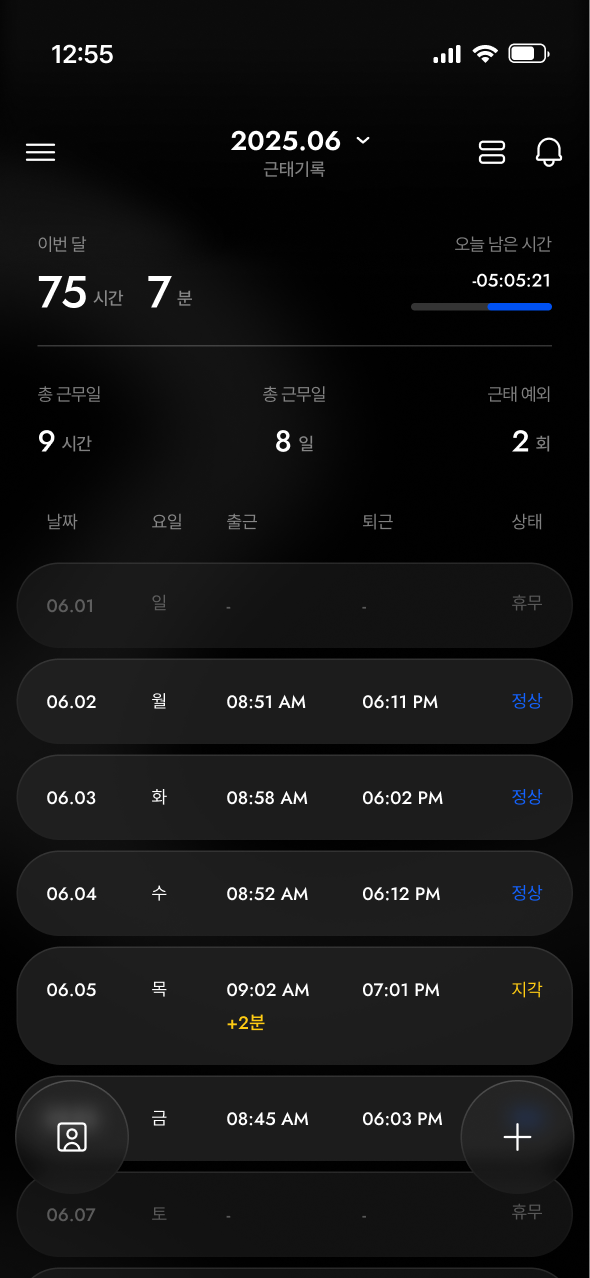
Attendance List
[IMAGE]
E-APPROVAL INBOX
[VIDEO]
E-APPROVAL DETAIL
[VIDEO]
WEB VERISON
[VIDEO]
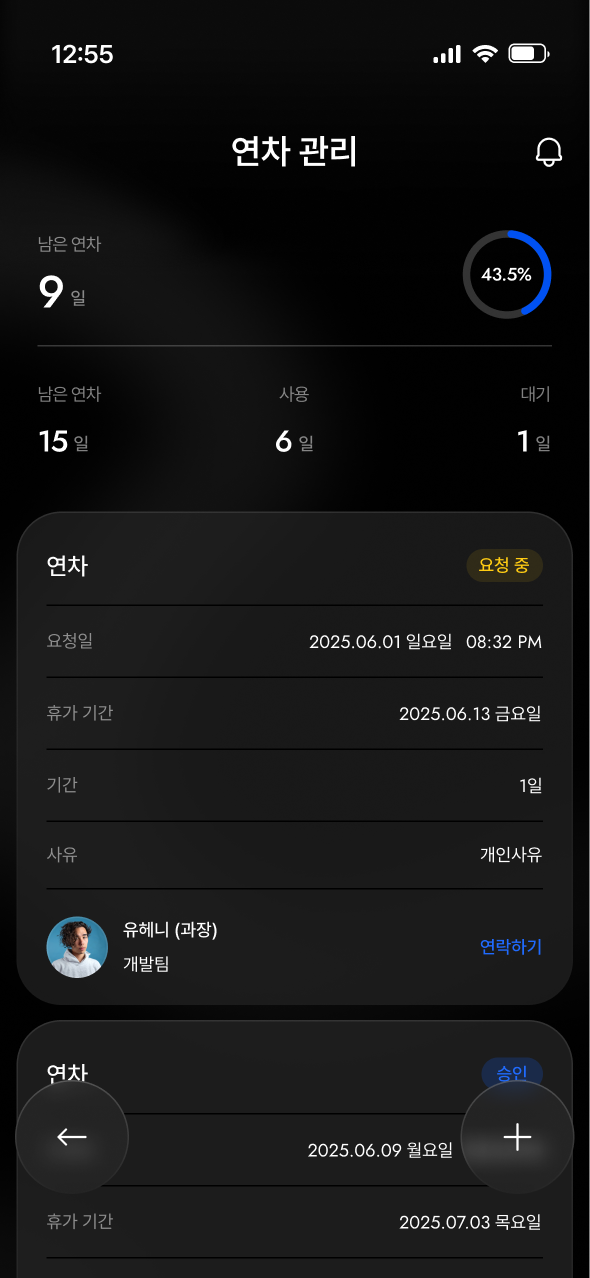
Leave Management
[IMAGE]
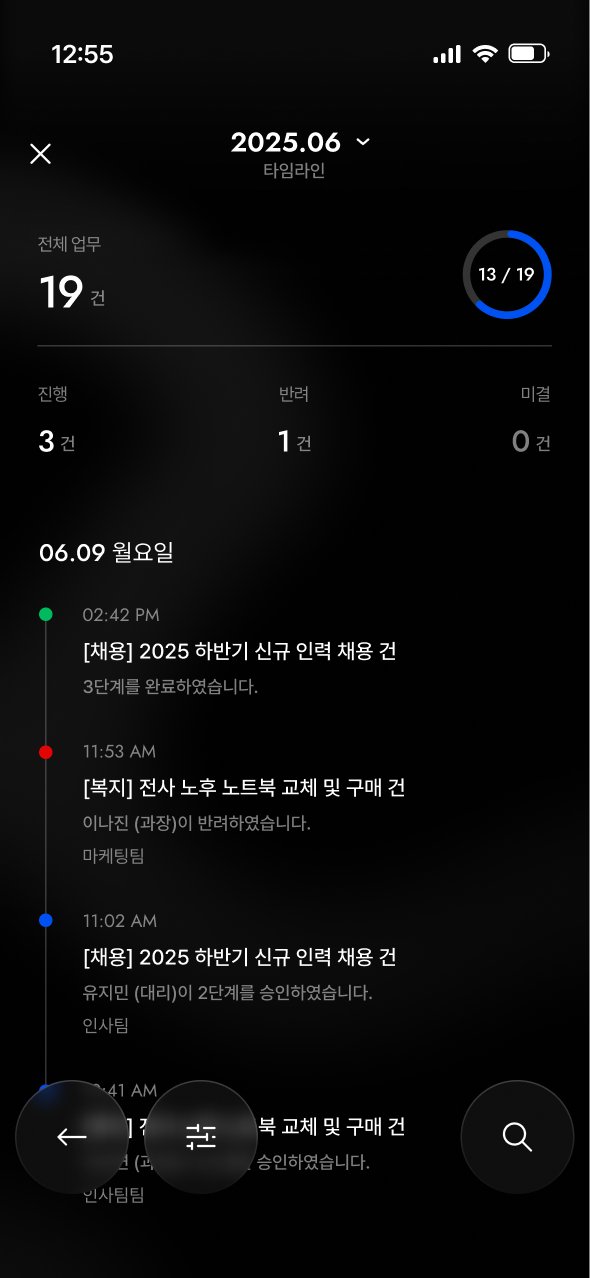
TIMELINE
[IMAGE]
ADD TASK
[VIDEO]
TASK DETAIL
[VIDEO]
SETTINGS
[VIDEO]
5
UI / INTERACTION
Selected Pages
View the core features and layouts of HODUWORKS based on the Dark UI at a glance. The interface is designed to deliver complex information clearly and effectively.
ATTENDANCE
[VIDEO]
ATTENDANCE STATUS
[IMAGE]
E-APPROVAL INBOX
[VIDEO]
E-APPROVAL DETAIL
[VIDEO]
전자결재 웹 버전
[VIDEO]
ATTENDANCE MANAGEMENT
[IMAGE]
TIMELINE
[IMAGE]
ADD TASK
[VIDEO]
TASK DETAIL
설정 웹 버전
[VIDEO]